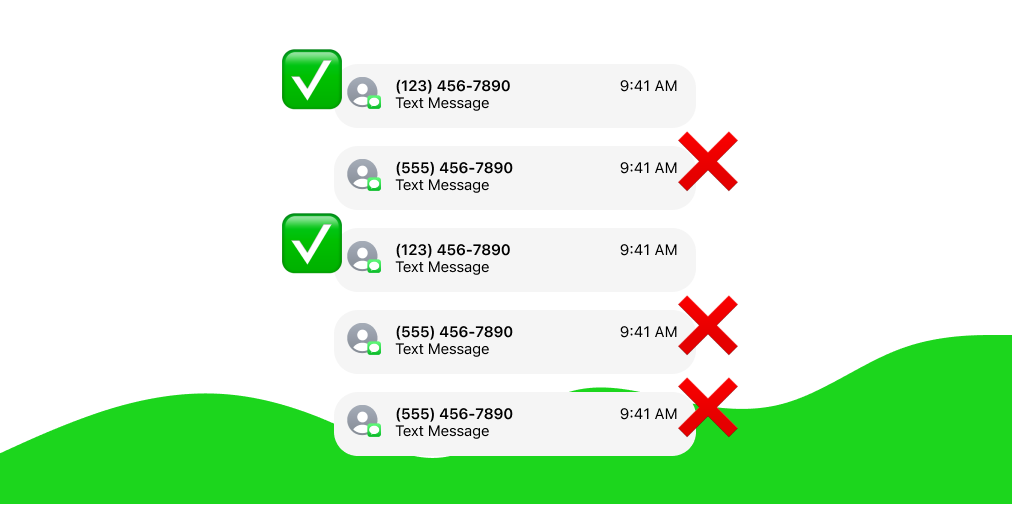
If different phone numbers from the same area code are constantly sending you spam texts, you can easily block those texts on your iOS device.
A single area code can contain over 7 million phone numbers. By blocking whole area codes, you can shut off the source of spam and unwanted text messages to your phone.
Dont Text is a free app for blocking spam texts. Dont Text makes it easy to block spam texts: by area code, by keyword, or from email address senders. You can customize these settings to choose how you want to filter your texts and Dont Text will only block new messages that come from unknown senders.
Download Dont Text from the App Store to get started.
Install Dont Text
Once you download the app, follow the instructions to enable the app in your settings. You must enable the app in your settings in order to block spam texts on your device.
These are the steps to enable text message filtering on your iOS device:
- Download Dont Text from the App Store
- Go to the settings app on your device
- Go to the ‘Apps’ section inside the Settings app
- Scroll down and tap on ‘Messages’
- Scroll down and tap on ‘Unknown & Spam’
- Toggle to enable ‘Filter Unknown Senders' and select Dont Text
Add Area Codes
Dont Text makes it really easy to block all text messages from an area code.
Once you have Dont Text enabled in your settings, open the app and go to the Filtering tab.
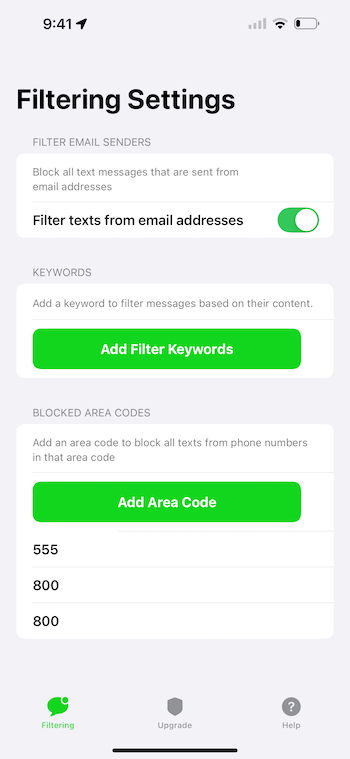
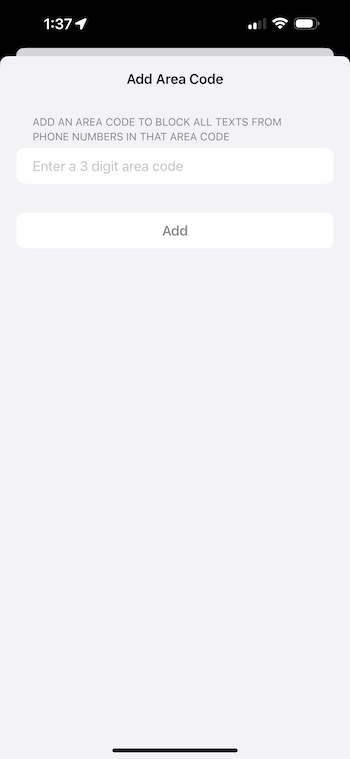
Click the button to add an area code and enter a 3 digit area code (ex: 555) and click Add. You can add as many area codes as you’d like.
After adding area codes to the app, Dont Text will block any incoming text messages that are sent from the area codes you’ve entered.
Remember, when you add an area code, only texts from unknown senders and unsaved phone numbers will be blocked. You do not need to worry about any of your contacts being blocked if you add a local area code.
Upgrade to Worry Free Filtering (Optional)
If you are looking for the easiest way possible to block spam texts, upgrade to Worry Free Filtering. Worry Free Filtering lets you skip the hassle of adding area codes or keywords and blocks spam instantly.
There is no need to add area codes or keywords, Dont Text will automatically detect spam and block it for you. After you install the app and enable it in your settings, there is no additional setup required.
To upgrade, purchase Worry Free Filtering inside the app on the upgrade tab.
No More Spam Texts from the Same Area Code
With Dont Text installed and a few area codes added, you can be sure your device will no longer receive spam texts from phone numbers in that area code.
If you haven’t already, download Dont Text from the App Store.